> ## Documentation Index
> Fetch the complete documentation index at: https://docs.cadmium.app/llms.txt
> Use this file to discover all available pages before exploring further.
# Exporting
> Export your colored frames for your pipeline
## Exporting Frames
When you've finished the coloring process, export your frames by pressing the **Export** button in the lower-right corner, or via the menu: **File > Export**.
Whichever layers are currently visible in your timeline is what will be exported.
### Export Colors Separated
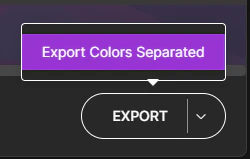 If you need to export all individual colors separately for your compositing process, click the arrow on the Export button and select **Export Colors Separated**. This will export each individual palette color into its own separate folder at your specified location.