What is a Reference Frame?
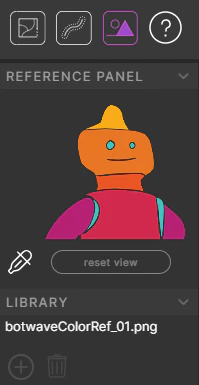
In order for Cadmium to color your frames, it needs an example of how they should be colored. Reference frames are denoted on the timeline with a purple dot. You can import one or multiple reference frames by dragging them onto the color layer. These reference frames must be numbered in order to appear in the correct position on the timeline (e.g.reference_04.png will appear at frame 4). You can also color your own reference frames directly in Cadmium.
Preprocessing Color Frames
Once you’ve selected or dragged your image to the color layer, Cadmium will “preprocess” the color frame. If there is a corresponding line image, the line image defines the color boundaries of your reference image, and the most prominent color in each segment will be filled in. Your color palette will also populate with all of the colors.Creating Color References
There are two ways to create color references:- Import a frame — Any color frame you import to the color layer becomes a reference frame.
- Color manually — Paint a frame directly in Cadmium to create a reference.
Reference Panel